
What Is a Webhook? A Plain-English Explanation With Automation Examples
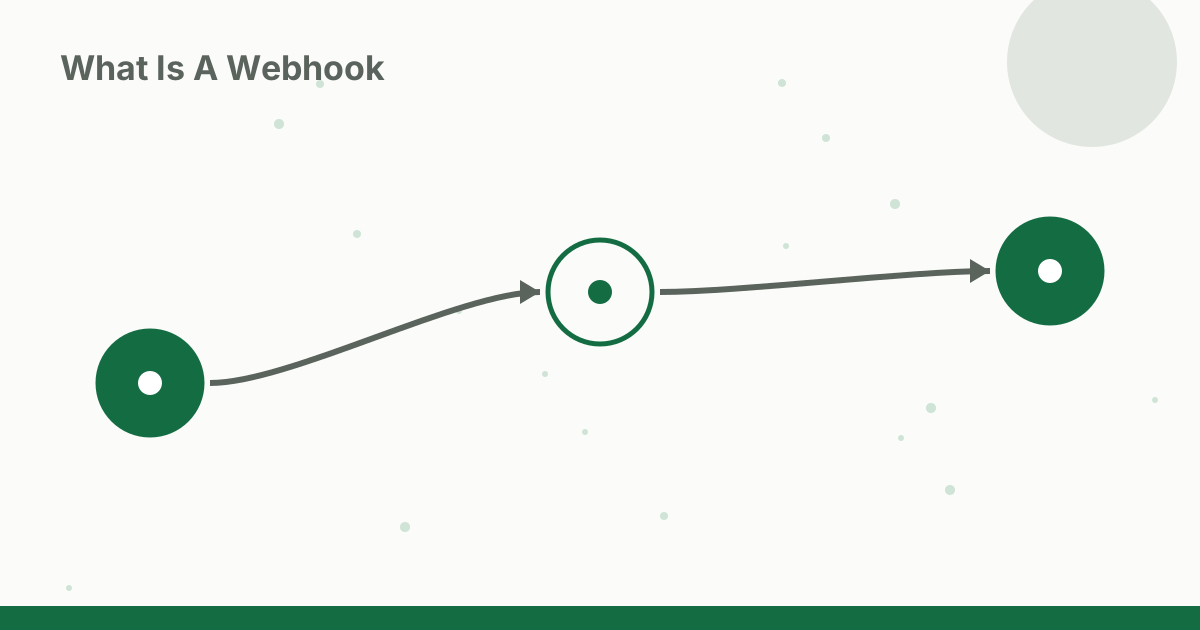
What is a webhook? It is a simple way for one app to tell another app instantly that something happened. When a customer pays, submits a form or books an appointment, the app where it happened sends a small message to a web address you choose, and your automation springs into action. Webhooks are behind many of the fastest, most reliable automations in small businesses. This explainer covers how they work, how they differ from APIs and polling, real examples, and how to use them safely without coding.
A simple analogy
Imagine waiting for a package:
- Polling is checking your doorstep every 15 minutes.
- A webhook is the courier ringing your doorbell the moment the package arrives.
Webhooks save time and deliver updates immediately.
What is a webhook doing behind the scenes?
- You get a webhook URL from the app or automation platform that will receive the data.
- You paste that URL into the settings of the app that sends updates, and choose which events should trigger it.
- When the event happens, the sending app sends a message, usually in a structured text format called JSON, to that URL.
- The receiving app reads the data and runs your workflow.
The message contains details about the event, such as order number, customer email and amount.
Webhooks vs APIs vs polling
- API (request): your app asks another app for data when it wants it.
- Polling: your app asks repeatedly on a schedule, such as every 15 minutes.
- Webhook (push): the other app sends data to you as soon as something happens.
Many automation platforms poll apps on a schedule for triggers; for example, Zapier lists a 15-minute polling interval on its free plan. Webhooks avoid that wait.
Real examples
- Payments: a payment app sends a webhook when a payment succeeds; your workflow records the sale and emails a receipt.
- Forms: a form tool sends a webhook on each submission; your workflow adds the lead to your CRM and notifies sales.
- Bookings: a scheduling tool sends a webhook when an appointment is booked; your workflow sends a prep email.
- E-commerce: a store sends a webhook on new orders; your workflow creates a packing task.
- Chatbots: a website chatbot sends a webhook when someone asks for a human; your workflow alerts staff. See our guide to adding an AI chatbot to your website.
Using webhooks without code
Automation platforms make webhooks approachable:
- Create a new workflow with a "webhook" trigger.
- Copy the webhook URL the platform gives you.
- Paste it into the sending app's webhook settings and choose events.
- Send a test event so the platform can see the data structure.
- Add actions using the fields from the test data.
See our Zapier vs Make vs n8n comparison for platform options, and our n8n tutorial for beginners for a hands-on start.
Webhooks and AI
Webhooks pair well with AI steps. A new support message arrives by webhook, an AI step classifies it as billing, technical or sales, and the workflow routes it to the right person. For more advanced AI workflows, see our guide to building an AI agent with n8n.
Security tips
- Keep webhook URLs private. Anyone with the URL could send fake data.
- Verify signatures where the sending app provides them; many payment and e-commerce platforms sign their webhooks.
- Use HTTPS URLs.
- Send only the data you need.
- Validate data before taking important actions, such as checking an order exists before shipping.
Troubleshooting
- Nothing arrives: check the URL, that the event type is enabled, and that the workflow is on.
- Data looks wrong: send a fresh test event and remap fields.
- Duplicate actions: some apps resend webhooks if they do not get a quick response; add a check for duplicates.
- Failures go unnoticed: set up error alerts in your automation platform.
Example: a form-to-CRM webhook
A consultant's website form sends a webhook on each submission. The workflow:
- Receives name, email, company and message.
- Uses an AI step to summarize the message in one line and tag the service requested.
- Creates a CRM contact with the summary and tag.
- Sends a confirmation email.
- Posts a short alert to the consultant's chat app.
The whole chain runs within moments of the form being submitted.
Webhooks you may already be using
Many tools set up webhooks for you behind the scenes. When you connect a form tool to a spreadsheet, a store to a shipping app or a calendar to a video-call tool, a webhook often carries the data between them. Understanding the concept helps you troubleshoot when those connections stop working.
When not to use a webhook
Webhooks are ideal for events that happen unpredictably and need a fast response. For regular reports, such as a daily summary, a scheduled trigger is simpler. For large data transfers, an export or API sync may be more reliable. Choose the trigger that matches how often and how fast data needs to move.
Testing webhooks safely
Before connecting a webhook to anything important, send test events and check each field in your automation platform. Use test orders or form submissions rather than real customer data where possible, and confirm that each action does what you expect before turning the workflow on for live traffic.
Documenting your webhooks
Keep a simple list of every webhook: which app sends it, which events trigger it, where it goes and what workflow it runs. When you change tools or someone new takes over, this list saves hours of detective work.
A note on reliability
Webhooks usually arrive within moments, but networks occasionally fail. Good automation platforms retry failed deliveries or log errors. For critical workflows, add a daily check that compares records between apps, so nothing slips through if a webhook is missed.
FAQ
What is a webhook in simple terms?
A webhook is a way for one app to automatically send a message to another app at a specific web address the moment something happens, such as a new order or form submission.
What is the difference between a webhook and an API?
With an API, your app asks another app for data when it wants it. With a webhook, the other app pushes data to you as soon as an event happens.
Do I need to code to use webhooks?
No. Automation platforms provide webhook URLs you can paste into other apps, and they handle receiving the data.
Are webhooks secure?
They can be, if you keep URLs private, verify signatures where the sending app provides them, use HTTPS and avoid sending more data than needed.
Why is my webhook not firing?
Common causes are a wrong or outdated URL, the event not being enabled in the sending app, or the receiving workflow being turned off.
Conclusion
What is a webhook? An instant message from one app to another when something happens. Webhooks make automations faster and more reliable than polling, and automation platforms let you use them without code. Keep URLs private, verify signatures where possible, and add error alerts so your workflows run smoothly.
Sources and methodology
Explainer based on how webhooks and common automation platforms work. The polling interval example comes from Zapier's pricing page (https://zapier.com/pricing), checked 14 October 2026. No statistics are claimed.


